
 The Booked Out Show

Flat monthly subscription
Use the AI plan you already pay for. Your usage counts against that plan's limits.
You chat in your AI company's own app, and it drives Saycut.
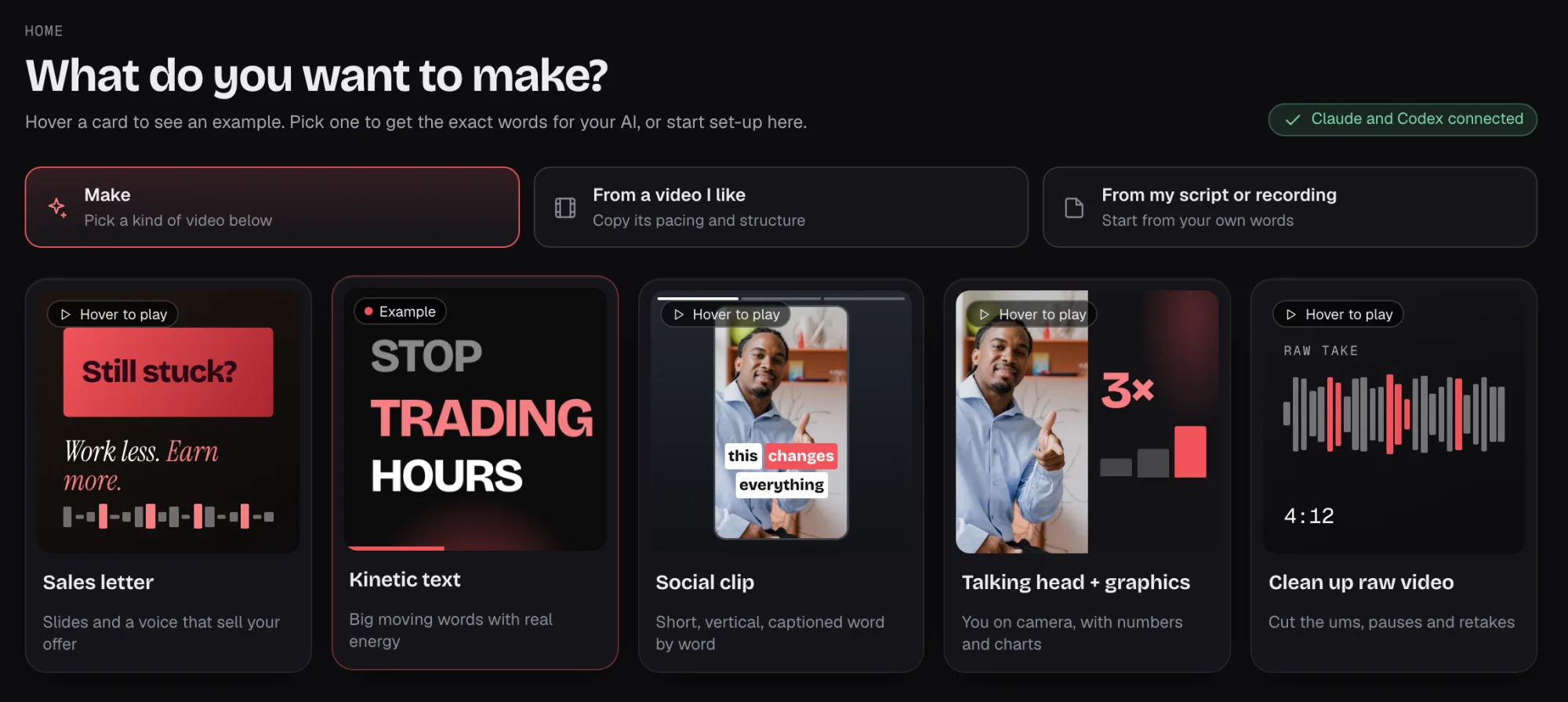
Bring a script, a voice recording or a video, then tell your AI which one you need next: a sales letter, a social clip, a talking-head video. Each is its own build, and you approve the story first.
No recording? Your AI works from your script, and you add a voice: a built-in one, or your own ElevenLabs or Cartesia account.
Swipe to see all five
Saycut doesn't charge for AI. Builds, takes and fixes use your own AI plan's limits or your API key's billing.
Use the AI plan you already pay for. Your usage counts against that plan's limits.
You chat in your AI company's own app, and it drives Saycut.
An API key is a code from your AI company. They bill you for what you use.
It stays in your agent tool, such as Claude Code or Codex, and Saycut never runs AI on it.
Works with the AI app you already use, and whichever model you pick in it. Switch apps any time: your projects stay in Saycut.
 Claude
 Codex
 Gemini
 Grok
 Cursor
Any AI tool
You connect one AI to make a video. After that, ask it for changes or make small ones by hand.
Ask Claude, Codex, Cursor or another AI tool. It builds and changes the video through Saycut.
Your AI appTurn my script into a 3-minute sales letter, tall and wide.
The story outline is ready in Saycut. Approve it and I'll start building.
For developers: it connects over MCP or the CLI.
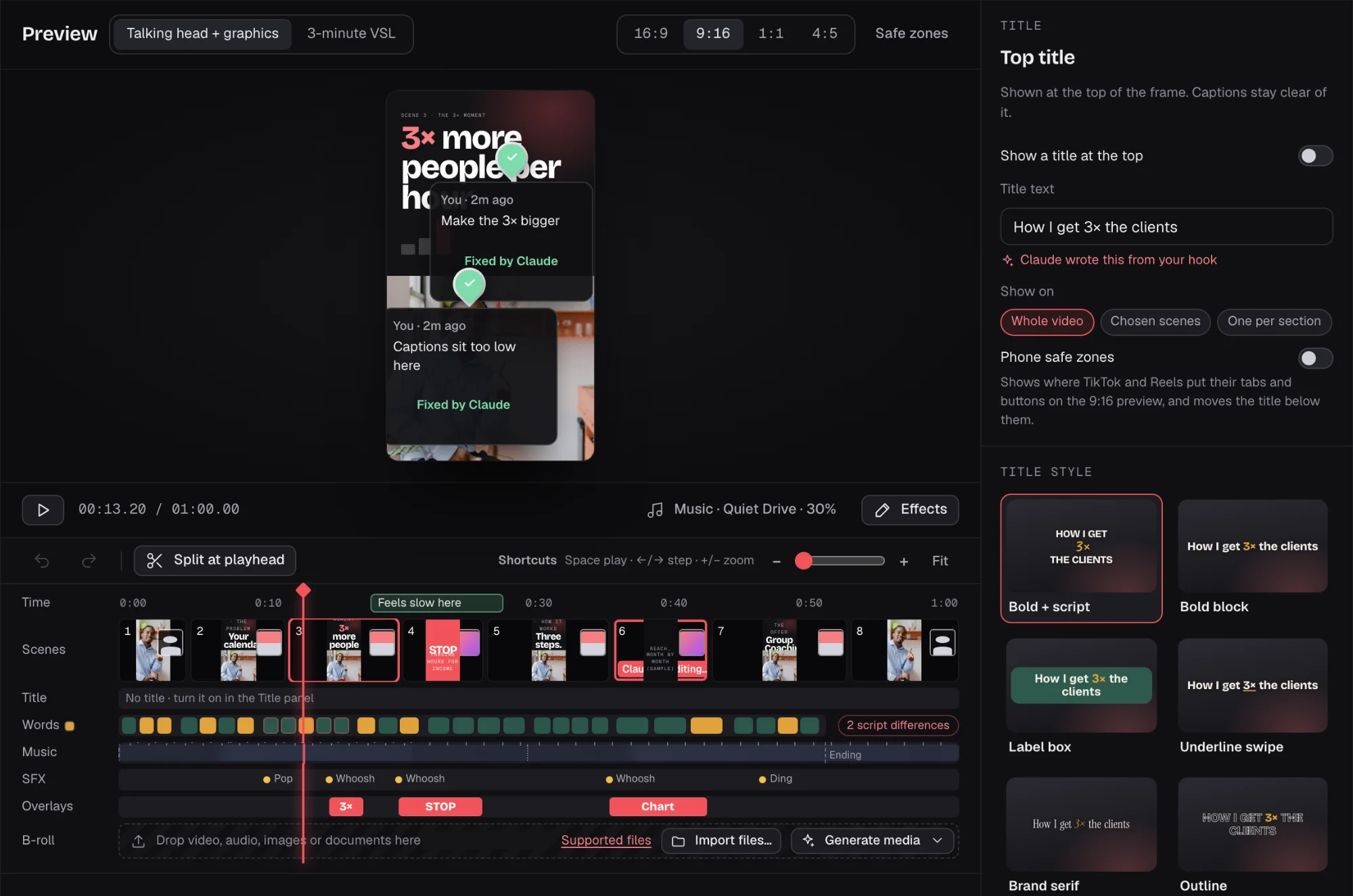
Watch the live preview, fix small things by hand on a light timeline, and leave a note for your AI. Then export.
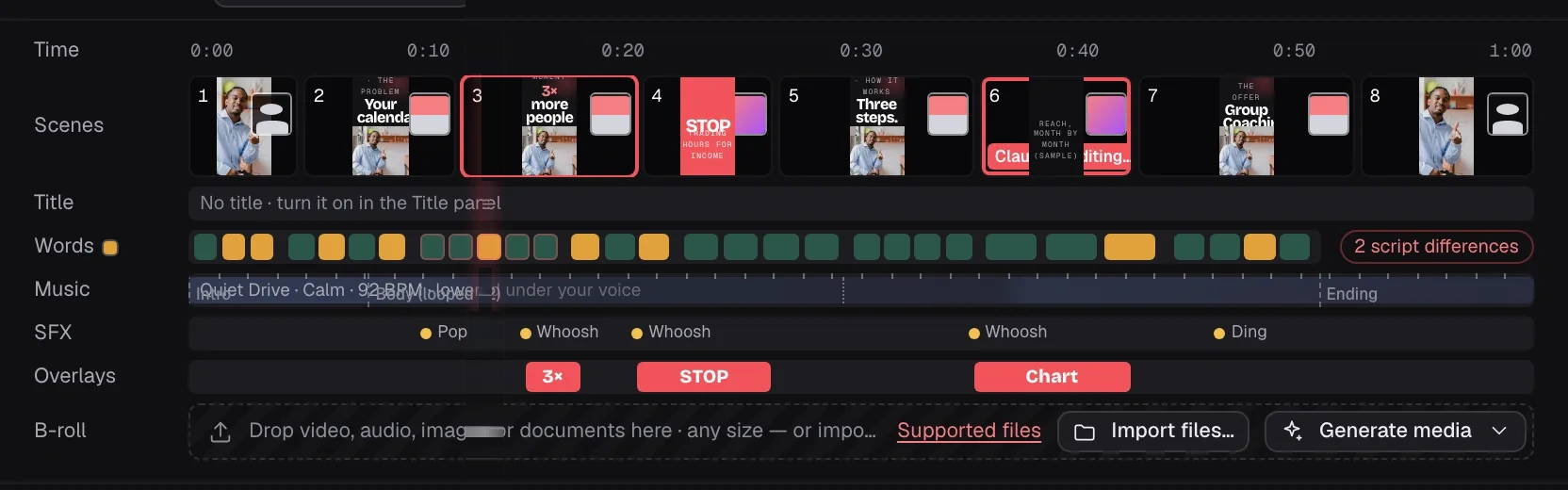



The timeline is for tweaks, not a full editor. The "Send to your AI" box passes your request to your AI app.
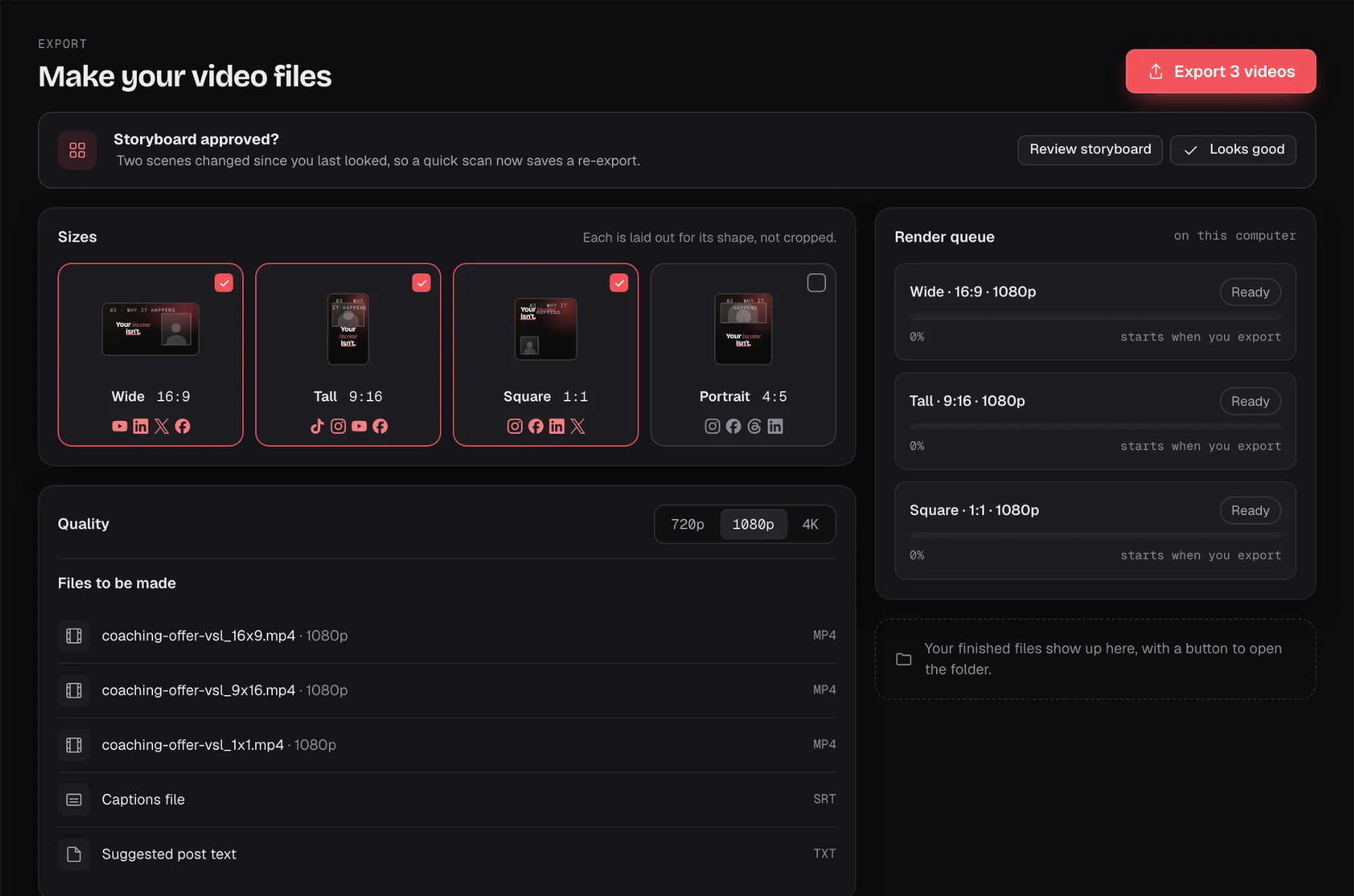
Tick the sizes you want on the Export screen, and you get a file for each one.
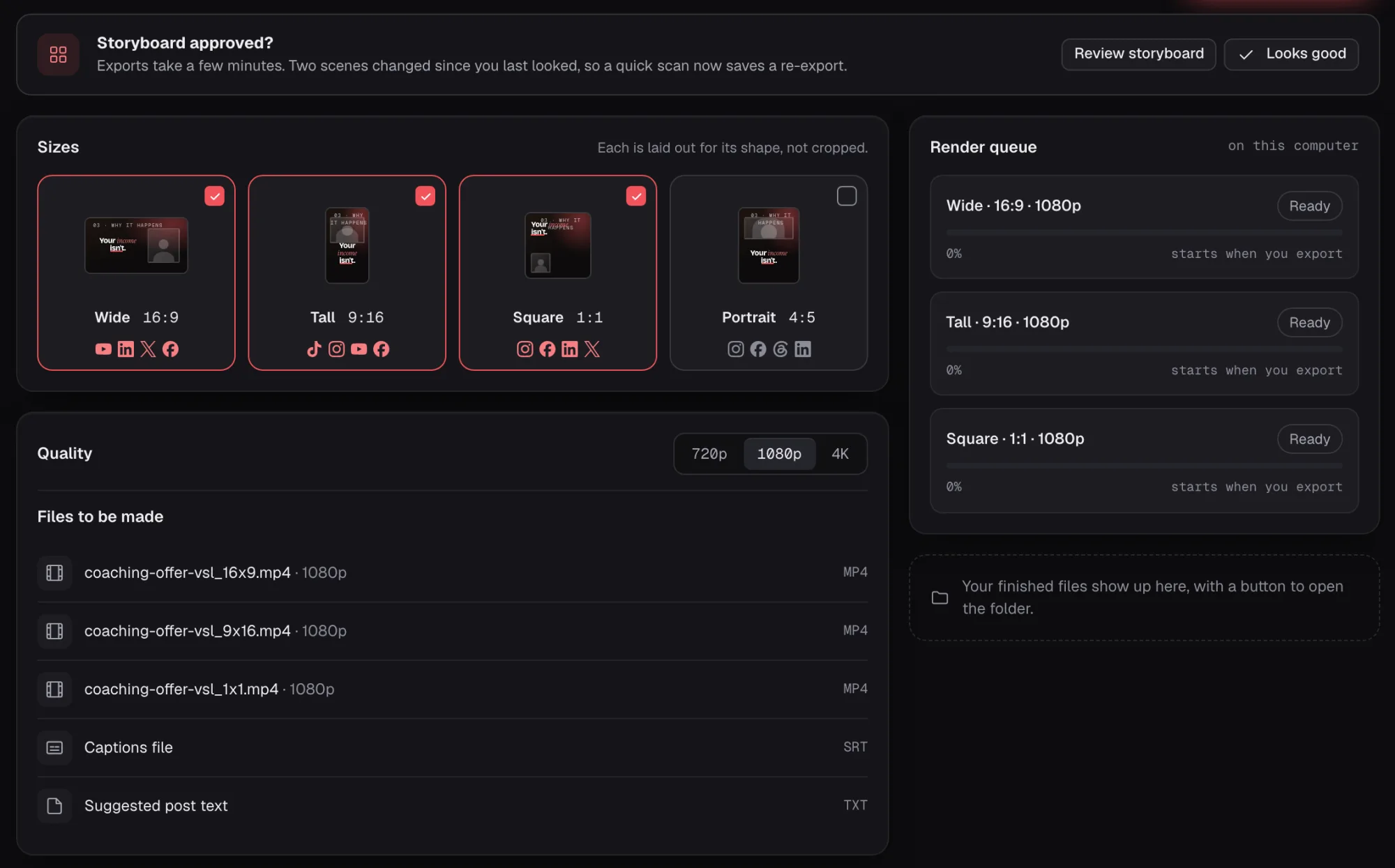

Wide 16:9coaching-offer-vsl_16x9.mp4
Slides and a voice that sell your offer.
One ideaYour offer page and your launch emails.
Big moving words with real energy.
One ideaA launch teaser, or the first ten seconds of an ad.
Short, vertical, captioned word by word.
One ideaThe clips you post between launches.
You on camera, with numbers and charts.
One ideaCourse lessons and client case studies.
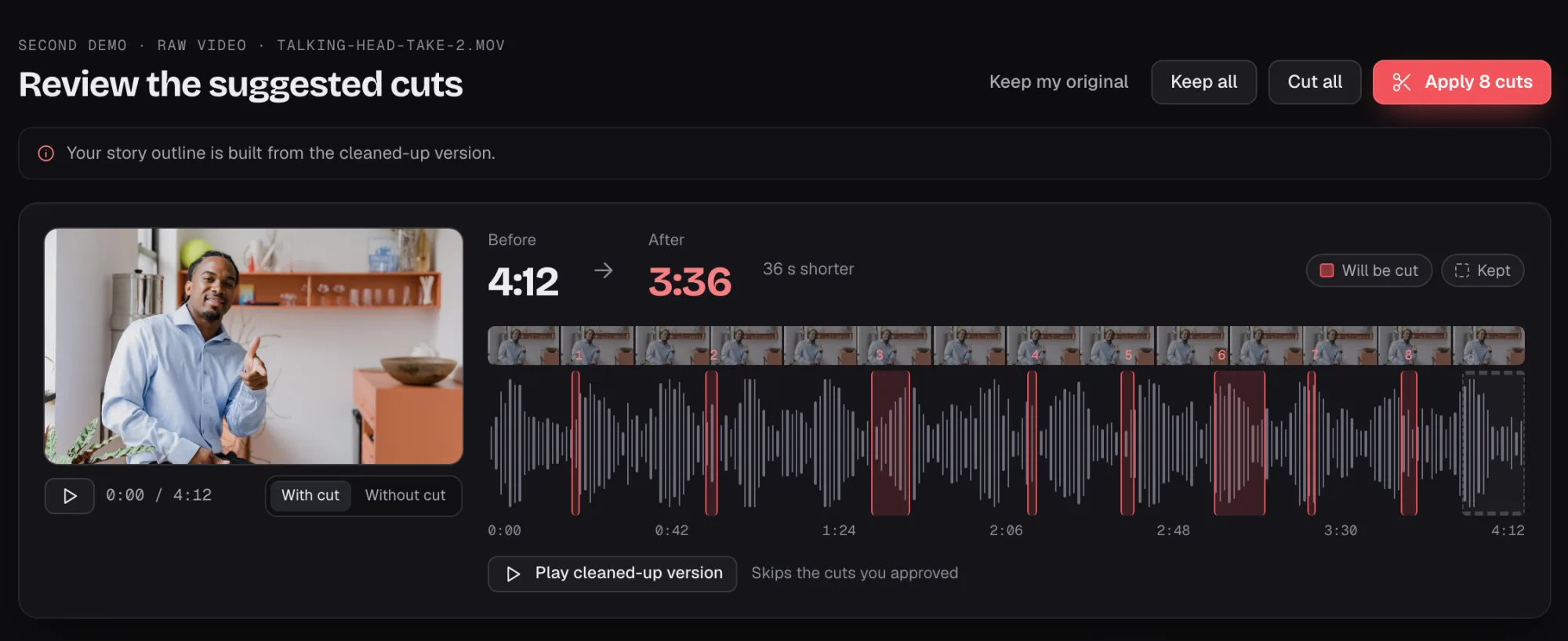
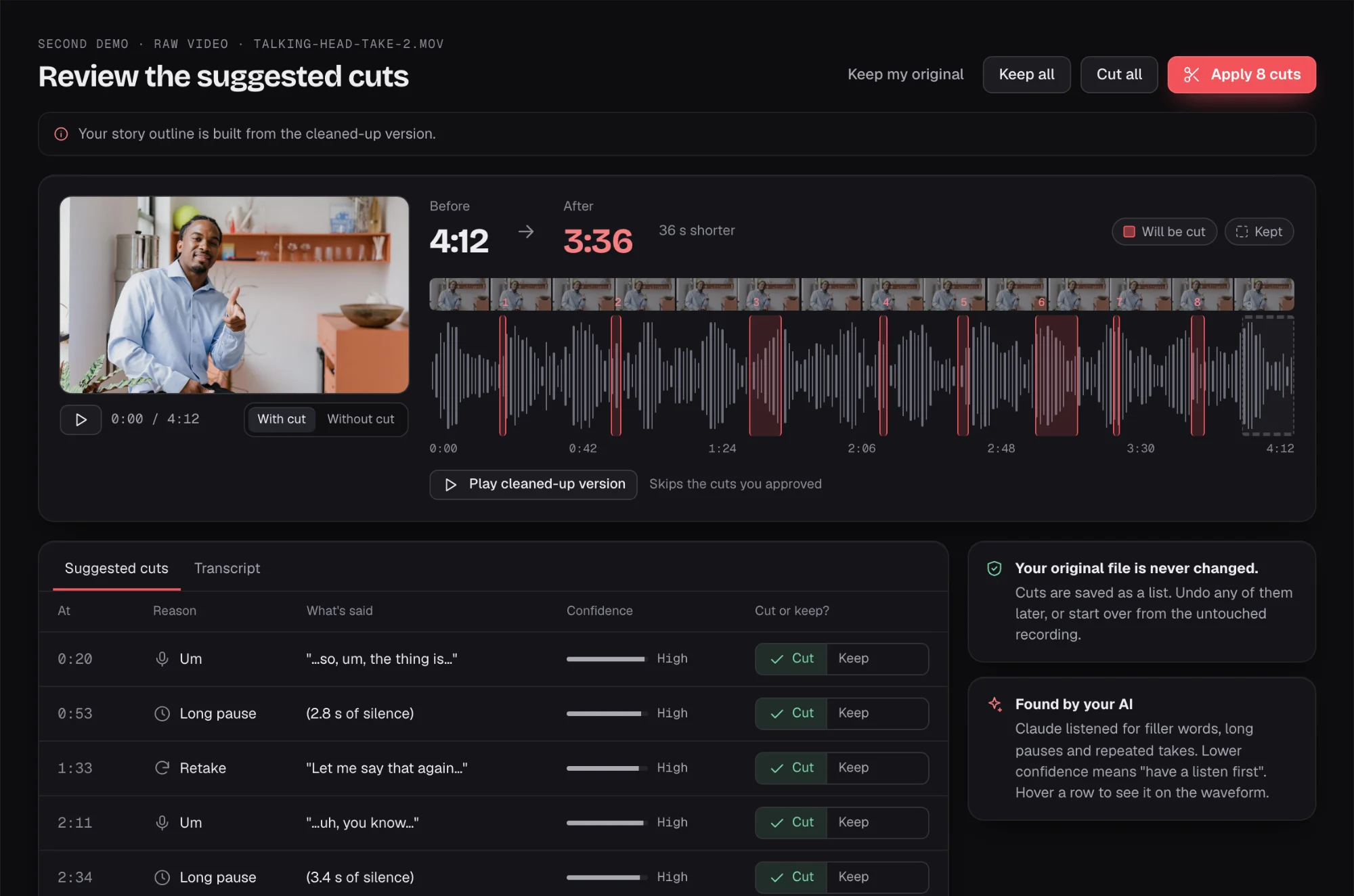
Cut the ums, pauses and retakes.
One ideaWorkshop recordings and other long footage.
Read the shape of the video and approve it. "Show me 3 more" gets new takes for any part.
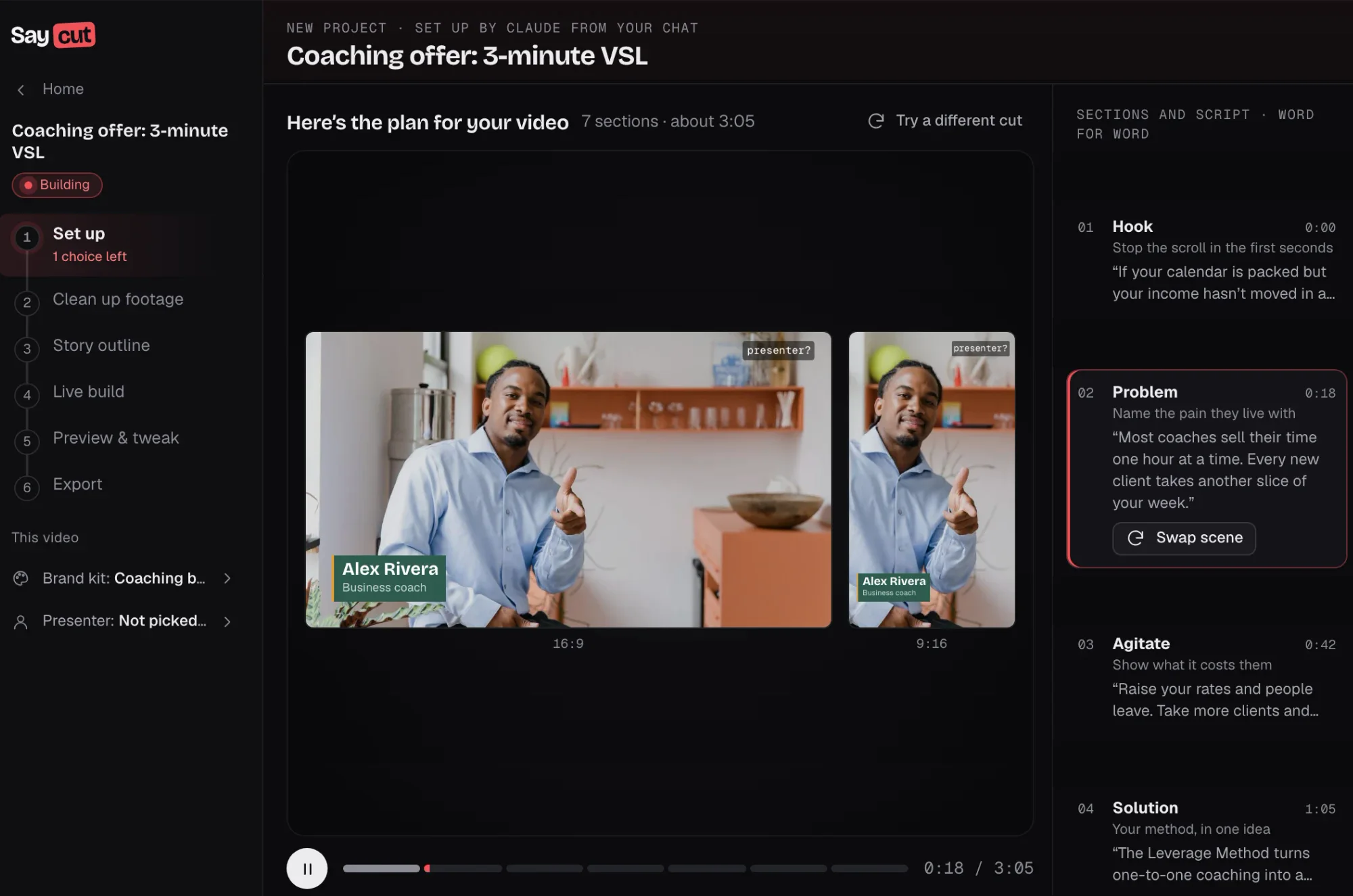
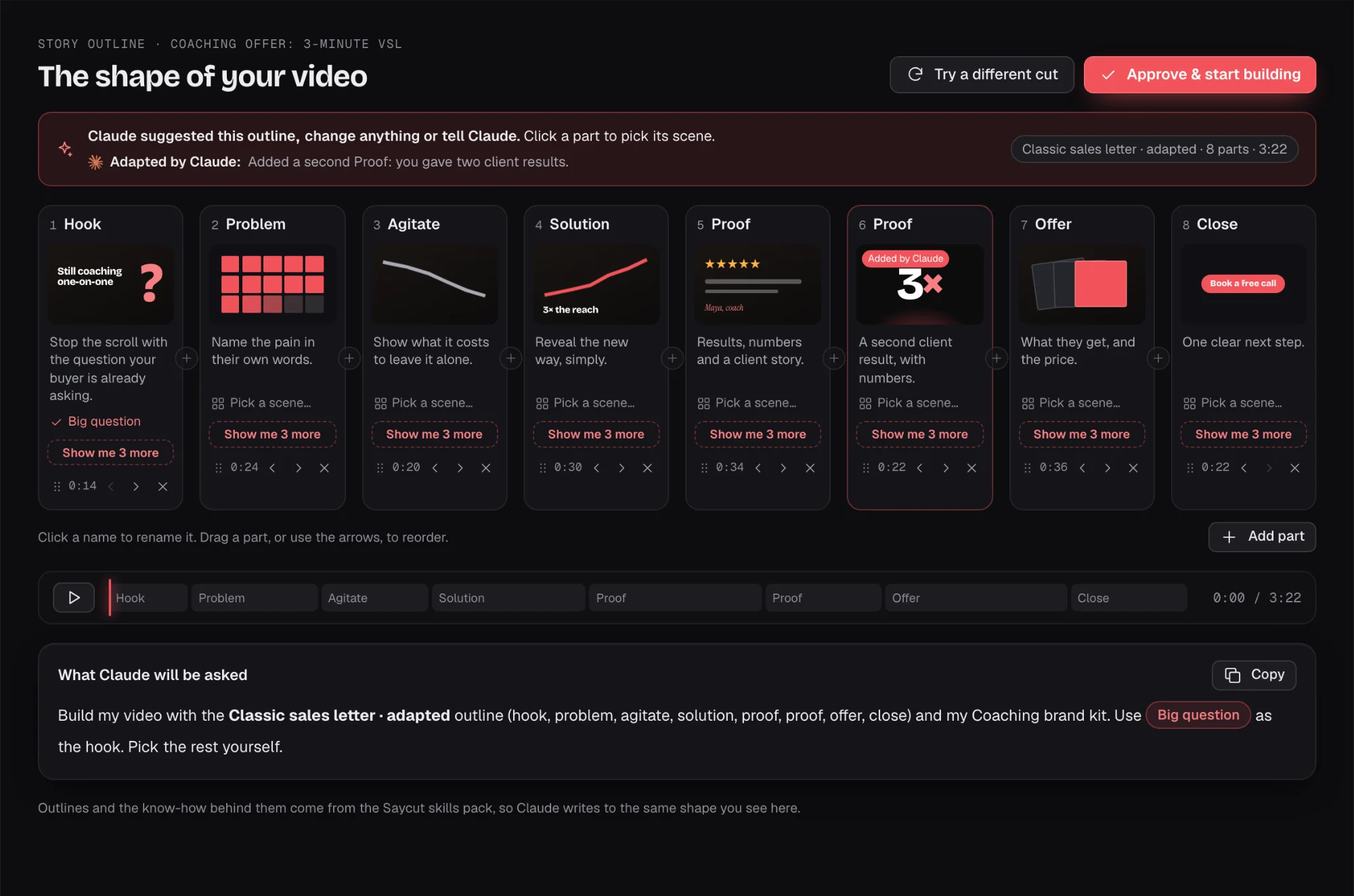
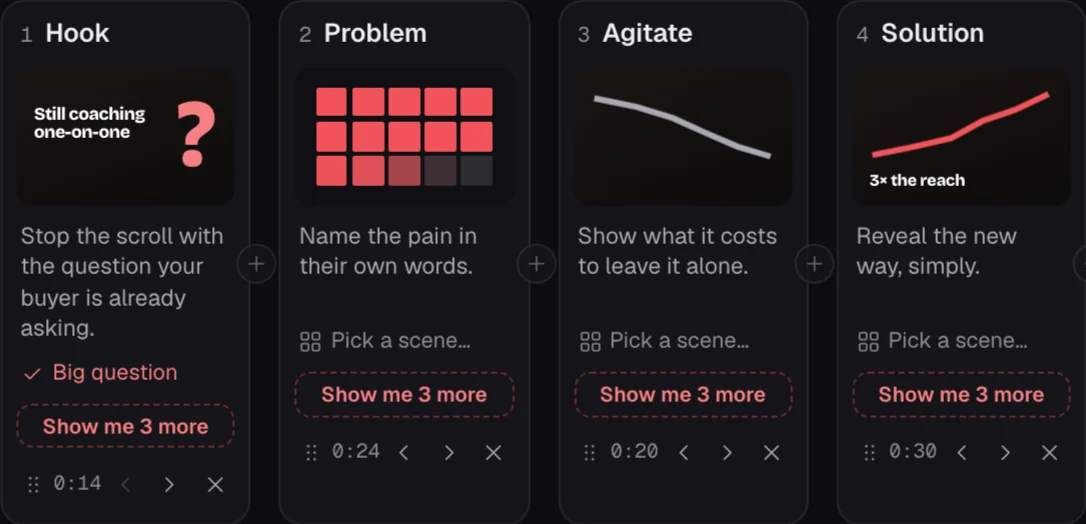
Go through it part by part. "Show me 3 more" gives you new takes for any part before you approve.
Try a style on every scene. SRT and VTT files come with your export.
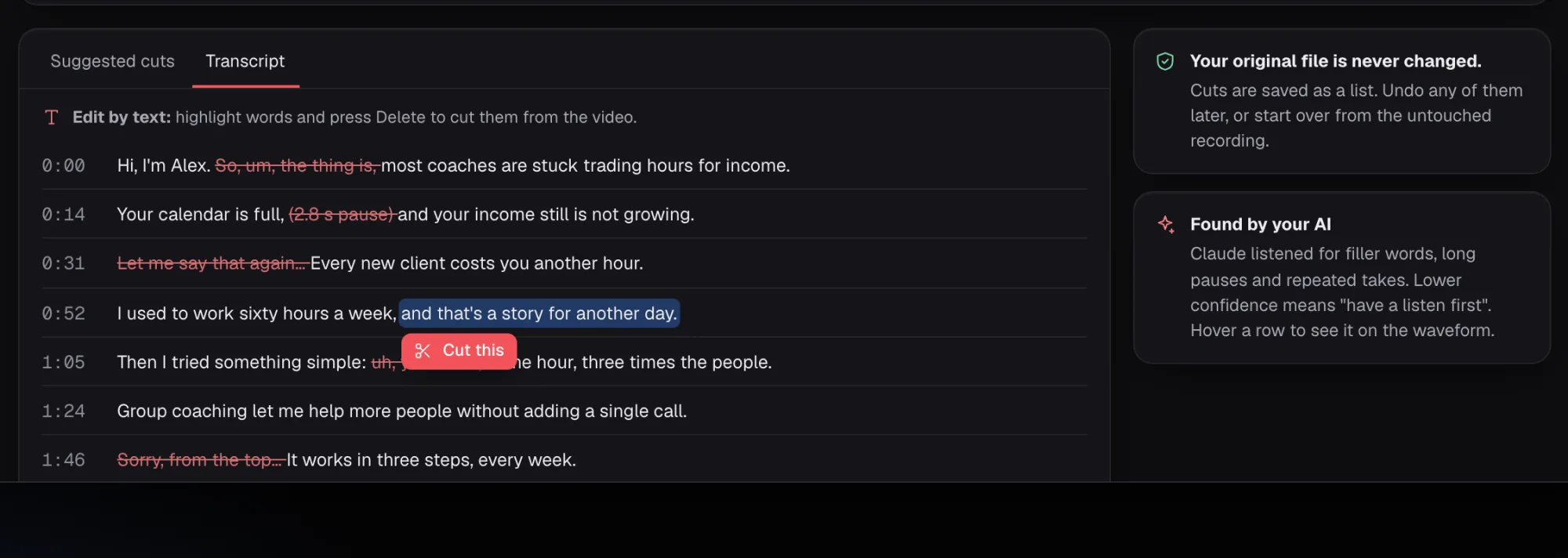
Your AI marks the ums, pauses and retakes. Your original file is never changed.
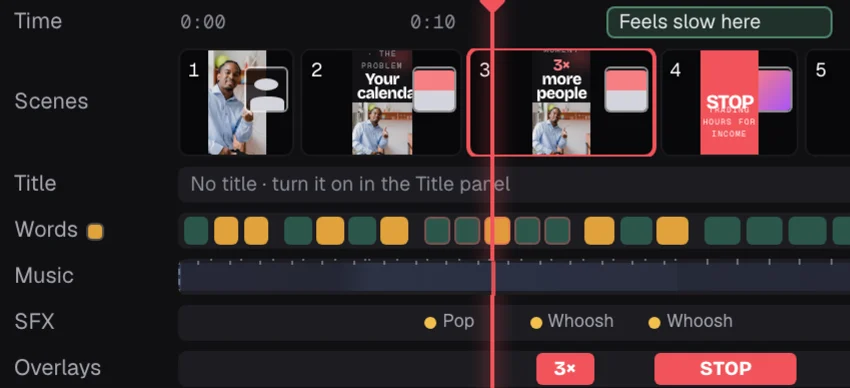
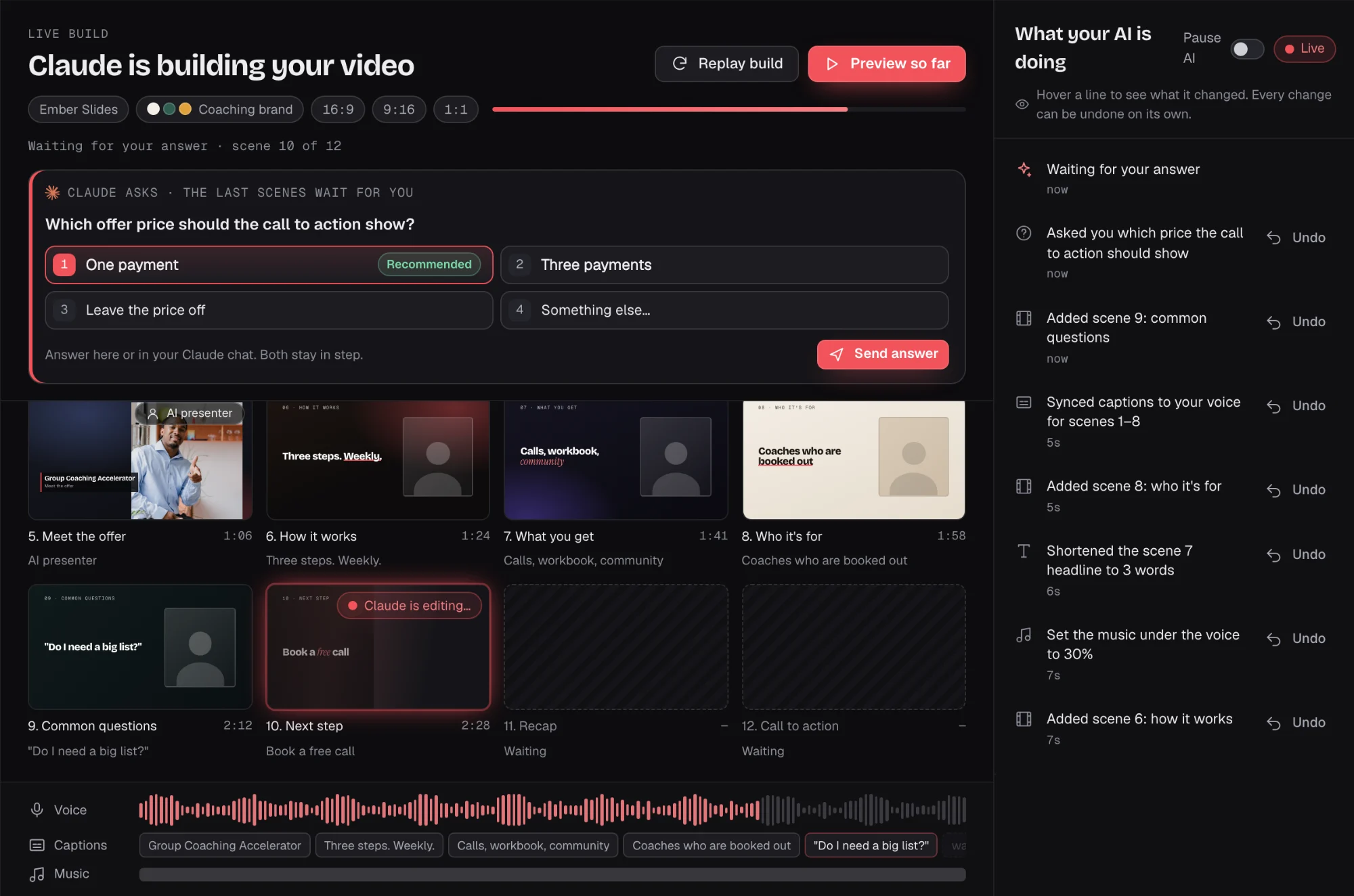
See it live with no render wait. The light timeline handles the small changes and is not a full editor.
 Alex RiveraBusiness coachsamehour,3×reachExample data
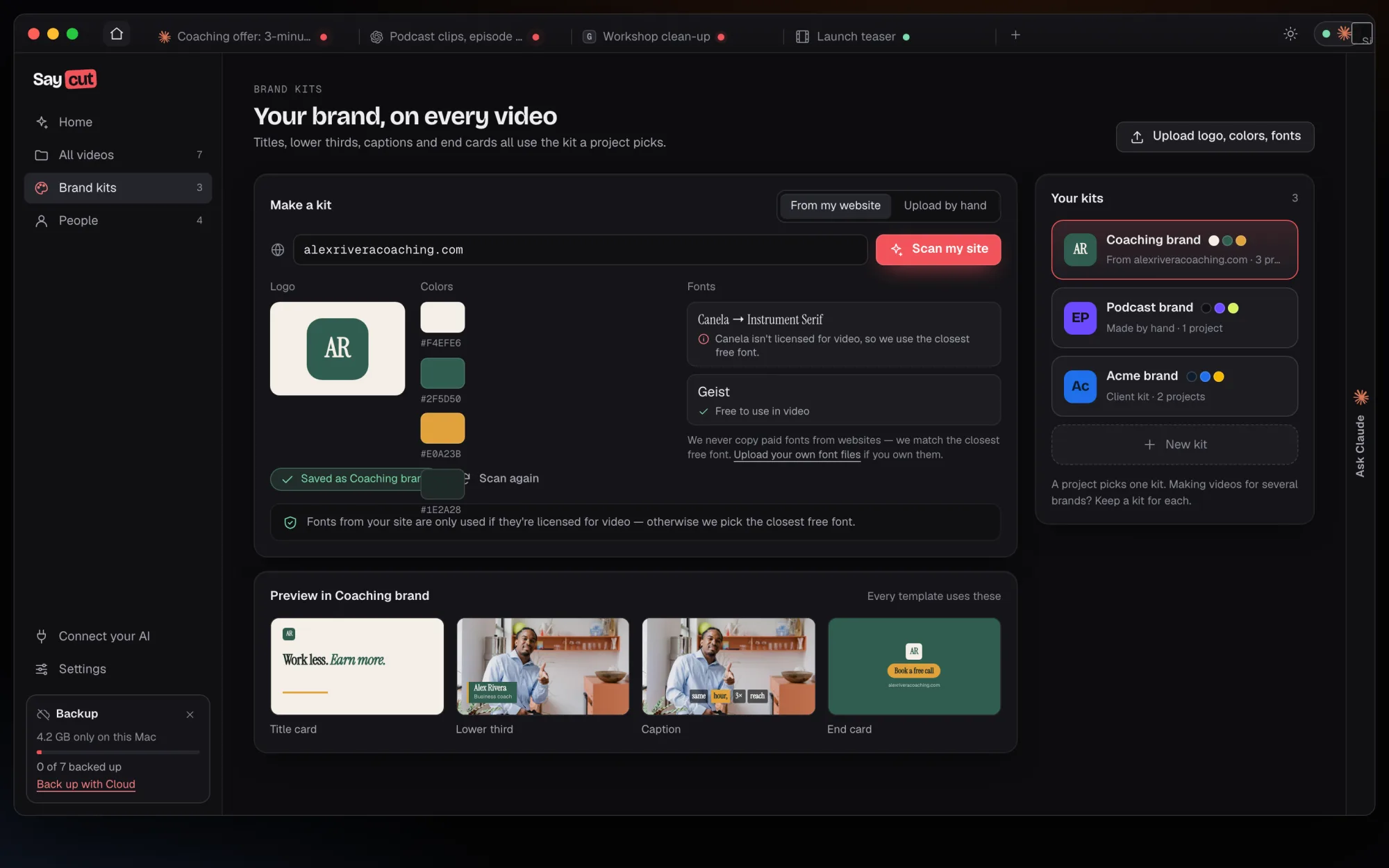
Titles, lower thirds, captions and end cards all use the kit a project picks.
Choose any of the four sizes and get a file for each, plus captions and suggested post text.


 Wide · 16:9 · 1080pReadyDone
 Tall · 9:16 · 1080pReadyDone
 Square · 1:1 · 1080pReadyDoneYour AI appClaude, Codex or another AI
What it sees
Your footage only if it asks for frames or clips.
| Proposed requirements | Minimum | Recommended |
|---|---|---|
| Mac | macOS 13 or later, Apple silicon | Apple silicon, macOS 14 or later |
| Windows | Windows 10 22H2 or 11, 64-bit. Windows on Arm is not supported at launch | Windows 11 |
| Memory | 8 GB, for 1080p and videos up to about 10 minutes | 16 GB or more, for 4K and long footage |
| Graphics | A working hardware H.264 encoder for 4K. Without one, exports cap at 1080p | Apple silicon, or a recent Intel, NVIDIA or AMD GPU |
| Disk | About 0.6 to 1.2 GB for the app, plus optional downloads and project space | An SSD with about twice your source footage free |
These are proposed and still being tested. The first time you open Saycut, it encodes a real test clip and tells you plainly what your computer can export, such as "Your Mac can export up to 4K." See the full list
Saycut doesn't charge for AI. Builds, takes and fixes use your own AI plan's limits or your API key's billing.
You need one AI connected to make a video. The Recommended way is your AI app's monthly plan, and its limits apply. The Advanced way is your own API key in an agent tool, billed by your AI company.
Claude, Codex, Gemini, Grok, Cursor and other agent tools. On a ChatGPT plan you connect through the Codex app. You need one AI connected to make a video, and you can look around and open the sample video without one.
Saycut runs no AI of its own and has no built-in script writer. Your own AI does the thinking, and you approve the story outline before it builds.
Saycut stops at finished files on your computer. Each export can include a captions file and suggested post text, and you post them yourself.
It has a light timeline for tweaks. If you want to cut frame by frame all day, keep your editor. Saycut is for people who would rather say what they want and then fix the last few things.
English at launch, across the app, transcription, captions and voices.
Your AI drives Saycut over MCP or the CLI. The app detects supported clients on its Connect screen, and you can add your own agent.
We haven't set pricing yet. Join the waitlist and you'll hear when Saycut opens.

Join the waitlist for a desktop video studio your own AI drives.
Will it run on my computer? 12345678