Make Sales lettersJoin the waitlist

Bring your script.Your AI builds the sales letter.

Your words land on screen as the voice says them, on slides in your brand kit. You approve the story outline before anything builds, then export on your own computer.

Mac and Windows, launching together
Coaching offer: 3-minute VSL
Example data
Example look
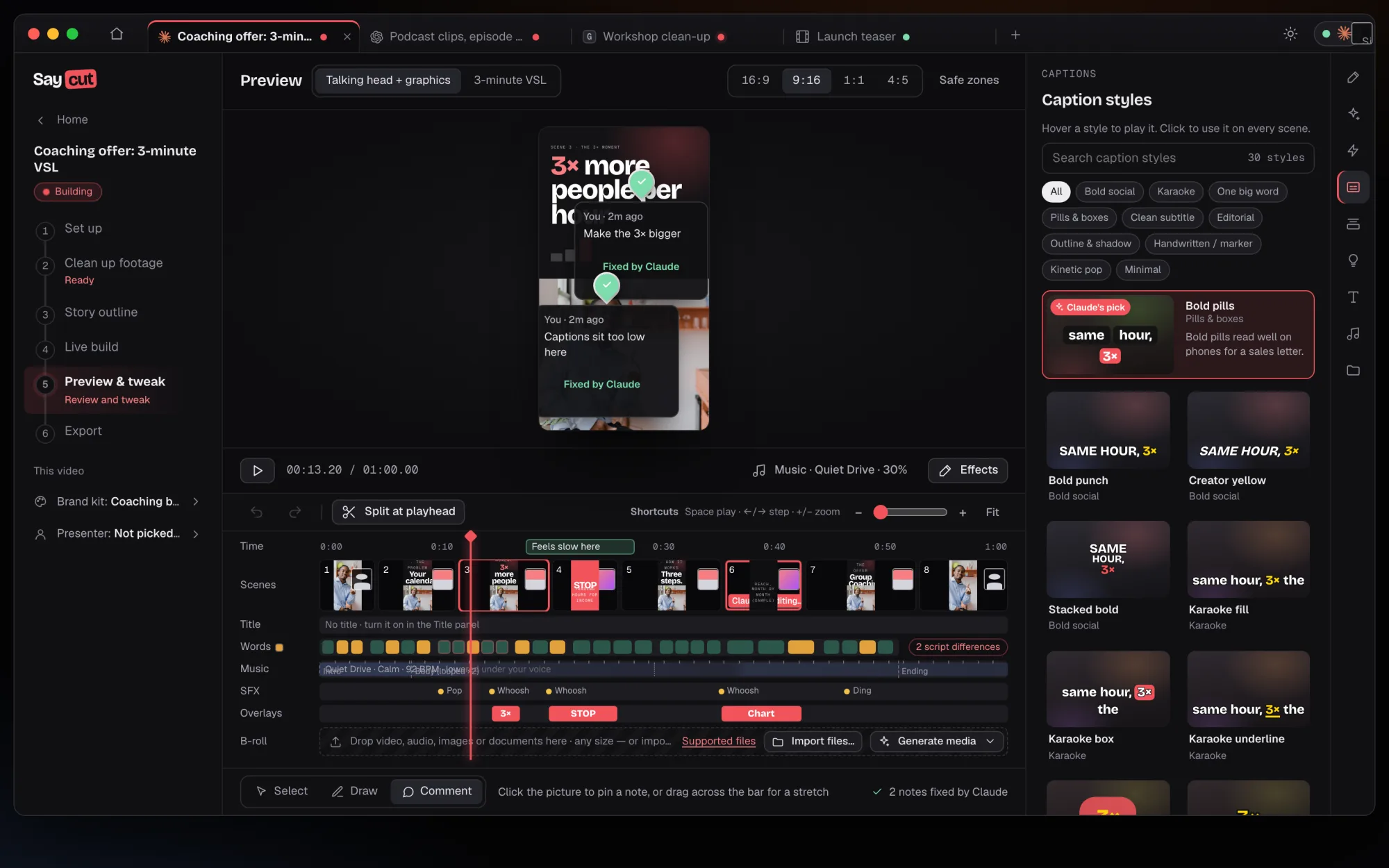
Caption styles panel: filters such as Bold social, Karaoke, One big word and Pills and boxes, with Bold pills marked as Claude's pick because bold pills read well on phones for a sales letter
Preview & tweakExample look clips, mock words

Keep your words.Hand the slides to your AI.

You bring the script and say what you sell. Your AI builds every slide through Saycut, and you watch it come together.

Words timed to the voice

Each line lands on screen as the voice reaches it. Your AI syncs the captions for you.

nudging slides to match the audio

A voice you choose

Upload your own recording, bring an AI-made file, use your ElevenLabs or Cartesia key, or pick a built-in voice.

booking a voiceover for every change

Slides in your brand

Pick a classic sales letter theme. Your brand kit keeps your colours and fonts on every slide.

building slides from a blank deck

One build, four shapes

Wide for your offer page, Tall for phones, plus Square and Portrait for feeds.

rebuilding the deck for each shape

Story outline

Hook, problem, offer, close.Approve the order first.

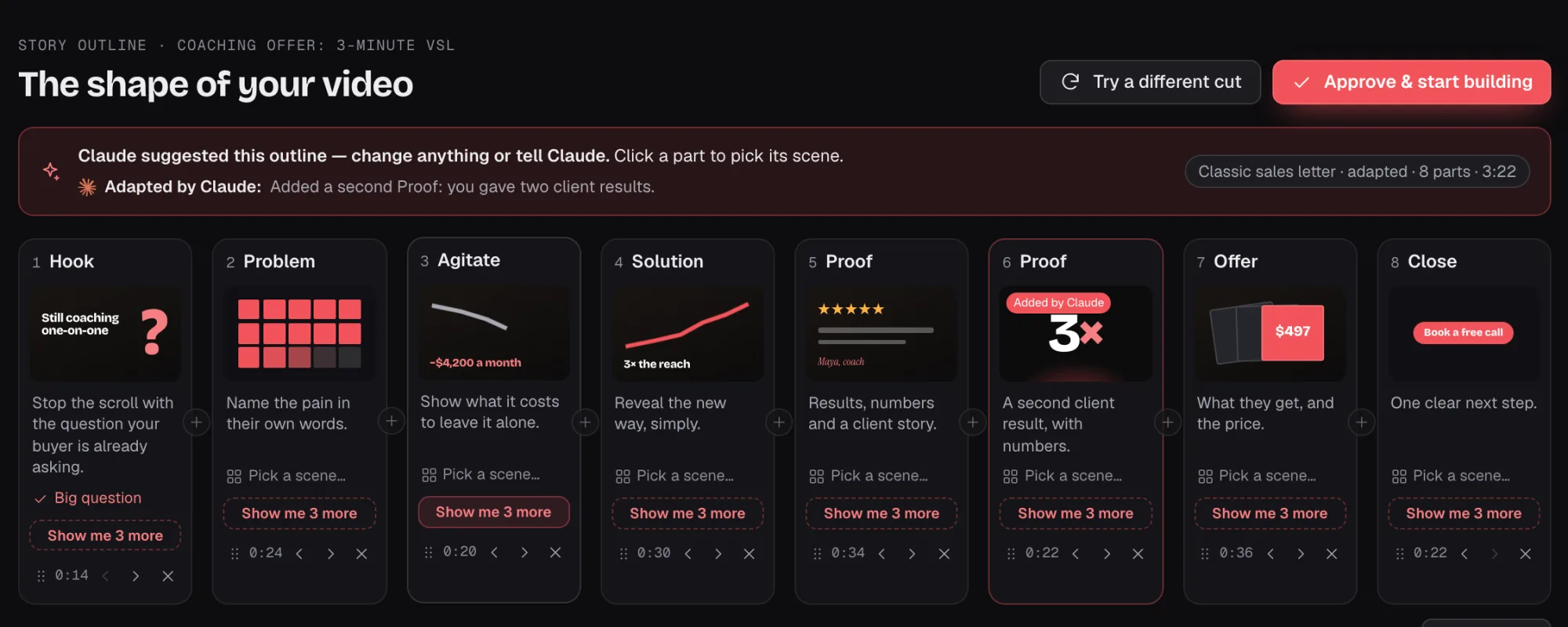
Your AI lays your script out as a classic sales letter, one part at a time. Ask for "Show me 3 more" on any part you want to change, then approve it before a slide is built.
Story outline
Example data
Classic sales letter outline parts: Proof, a second Proof added by Claude, Offer and Close, each with a Show me 3 more button

Live build

Watch the slidesgo in one by one.

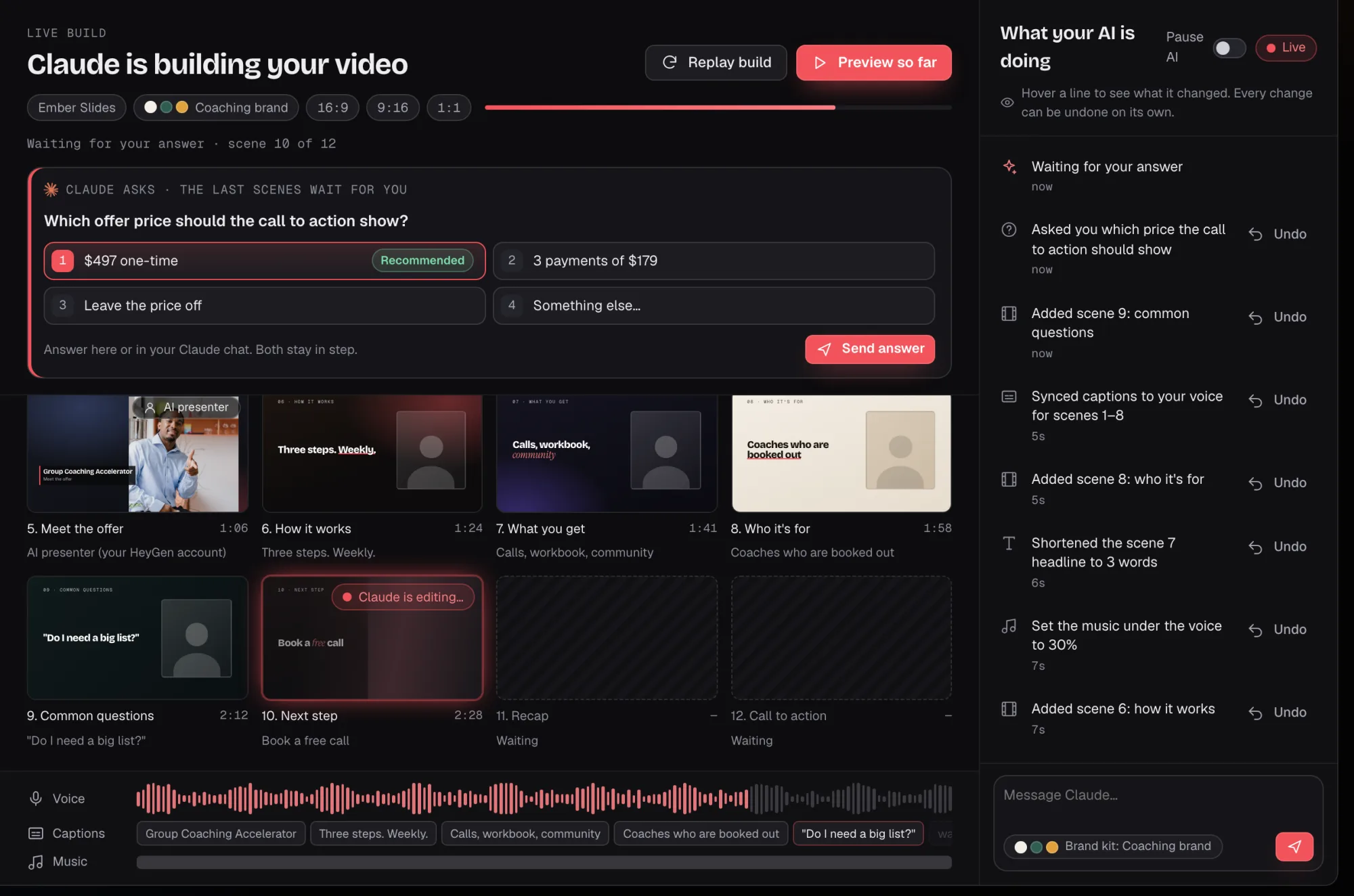
Your AI builds scene by scene and syncs the captions to the voice as it goes. When it needs a choice, like which price the call to action shows, it asks you.
Live build
Example data
Live build: Claude asks which offer price the call to action should show, above a grid of finished scenes and a voice track with captions under it

Preview & tweak

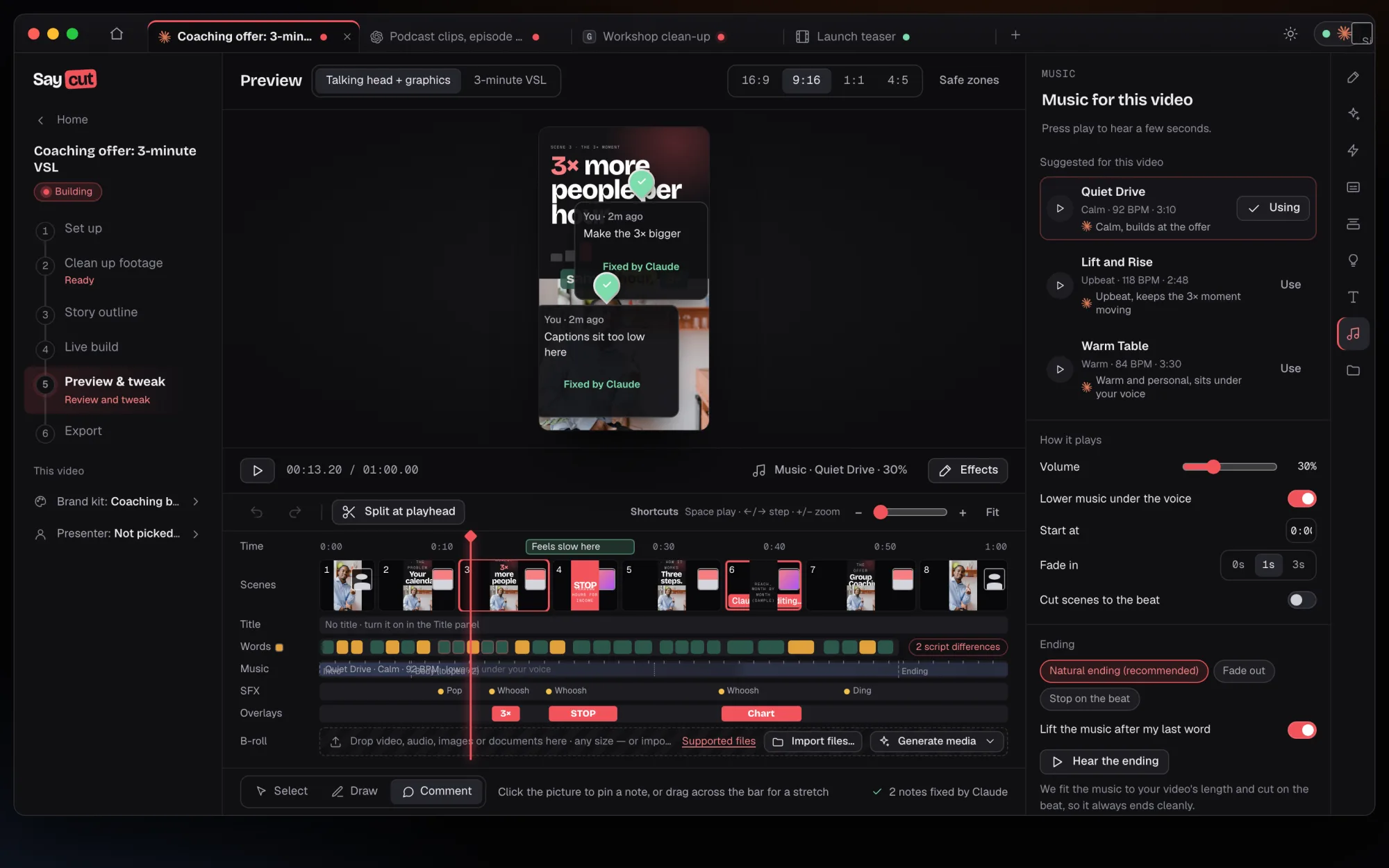
Set the musicunder the voice.

Watch it live with no render wait. Pick a track, keep it low while the voice talks, and lift it after your last word. Ask your AI app for a change, or nudge it yourself on a light timeline.
Music
Example data
Music panel: suggested tracks Quiet Drive, Lift and Rise and Warm Table, with volume at 30 percent and Lower music under the voice switched on

Export

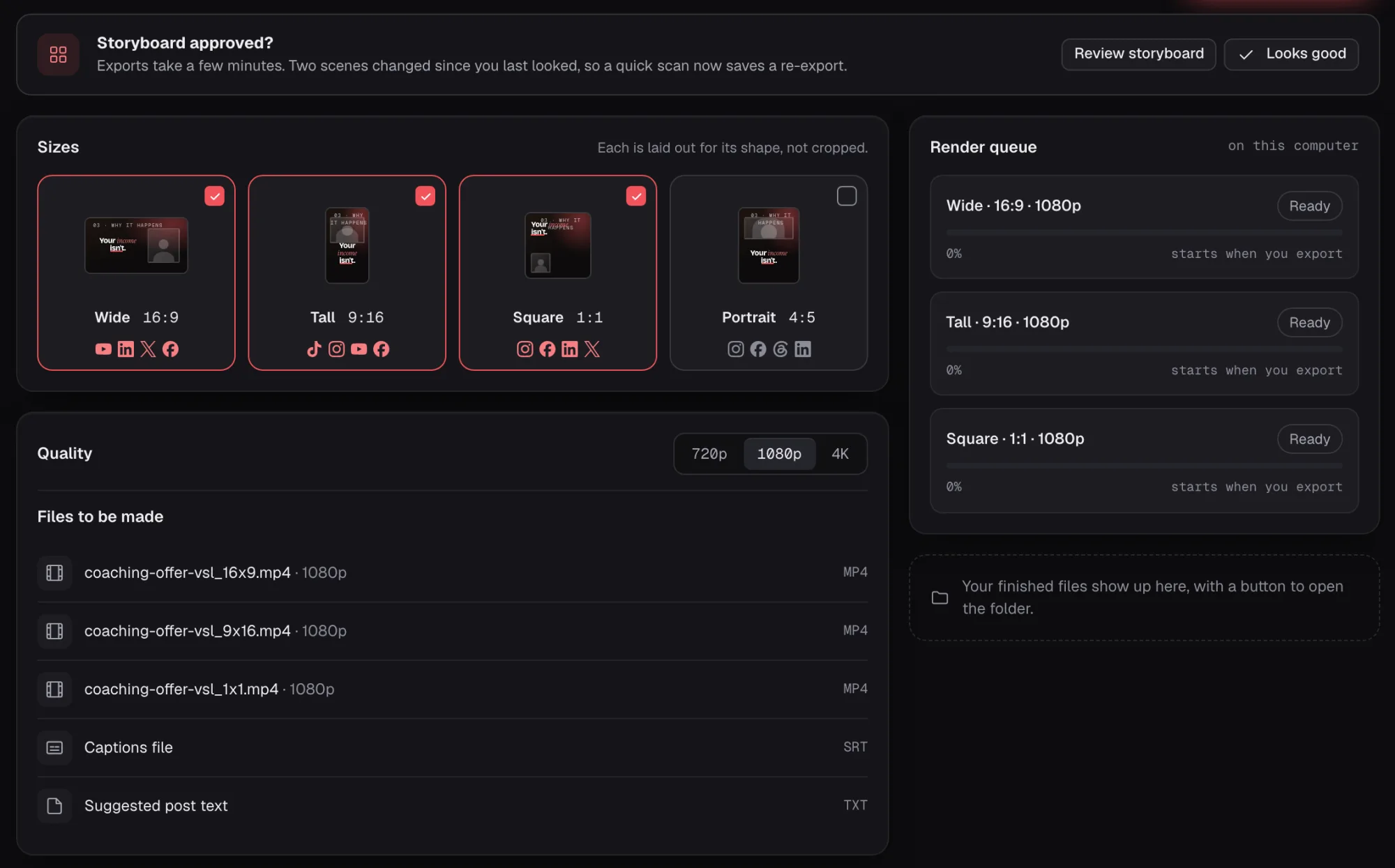
Every shape,made on your own computer.

Pick Wide, Tall, Square or Portrait. Your computer makes a file for each one, with a captions file and suggested post text.

Export
Example data
Size cards for Wide, Tall and Square on the Export screen

One slide, four shapes.Pick a size and watch it reflow.

Scene 2 · Problem
Example data
Wide 16:9: for your offer page and the big screen.Mock words
4sizes: Wide, Tall, Square, Portrait
4ways to add the voice: upload, AI-made file, your own voice key, built-in voices
2caption files with every export: SRT and VTT
2 Mac and Windows, launching together

Say what you want.Saycut makes it.

Join the waitlist and we'll email you when Saycut opens on Mac and Windows.
You're on the list. We'll email you when Saycut opens.

Get early access when Saycut opens. No spam.